
Unlocking the Enterprise: A Deep Dive into Oracle APEX 24.2’s Native Fusion Integration
For years, the vision of a truly connected enterprise application landscape has been a key goal for many organizations. We have Oracle Fusion Applications running our core business processes—Finance, HCM, SCM, CX—and we have Oracle APEX, the agile, low-code powerhouse for building bespoke, departmental, and composite applications. Bridging these two worlds, however, often involved custom PL/SQL web service calls, complex authentication setups, and JSON parsing that, while powerful, added significant development overhead.
Oracle APEX 24.2 changes the game.
This release introduces a native, declarative REST Data Source for Oracle Fusion Applications. This isn’t just another REST source; it’s a purpose-built connector that understands the Fusion ecosystem. Let’s peel back the layers and explore what this means for you as an APEX developer.
What Exactly is the New Fusion Connector?
At its core, the new feature is a specialized type of REST Data Source. But it’s the automation and deep integration that sets it apart. When you point APEX to your Fusion environment, it doesn’t just see a list of generic REST endpoints. It can discover and introspect the entire Fusion REST Service Catalog.
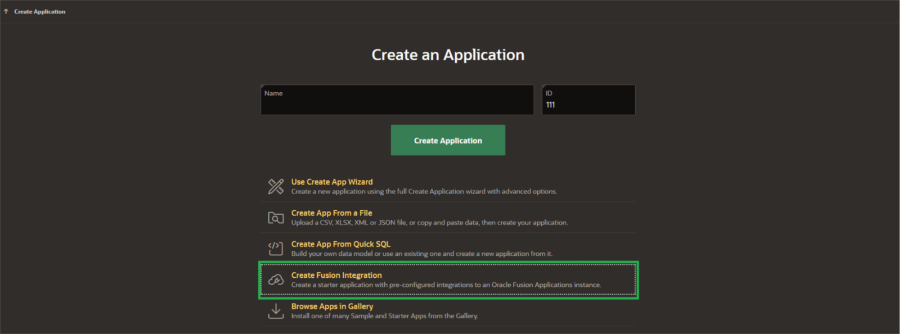
This means APEX understands the data models, the operations (GET, POST, PATCH), the required parameters, and the authentication schema natively. It transforms the complex Fusion REST API into a familiar, database-like object that you can query and manipulate directly from your APEX applications.
Setting It Up: A Step-by-Step Walkthrough
The setup is refreshingly straightforward, abstracting away the complexity of OAuth 2.0 Client Credentials flow.
1. Prerequisites in Your Fusion Environment:
- Access to your Fusion Cloud instance (e.g., https://yourdomain.fa.us- example.oraclecloud.com).
- Administrator privileges to create an OAuth2 Client Credentials application in the Fusion IDCS console.
- Note down your Fusion Base URL and the OAuth Token URL.
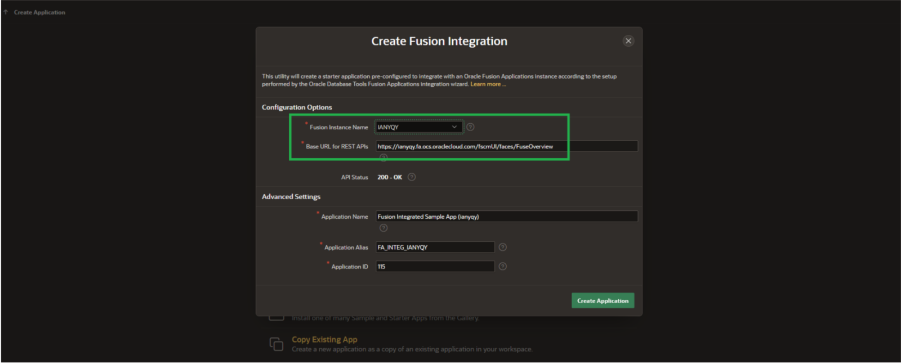
2. Creating the REST Data Source in APEX 24.2:
- In App Builder, navigate to Shared Components > REST Data Sources.
- Click Create and select the new type: Oracle Fusion Applications.
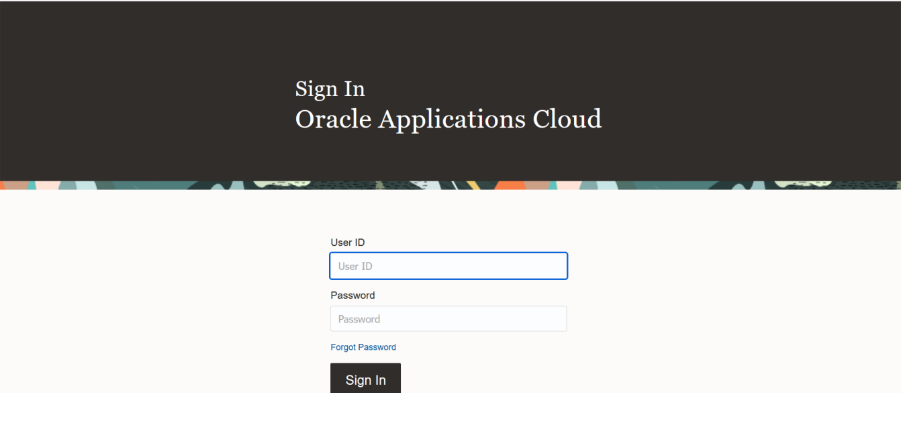
- Provide Connection Details:
- Name: FUSION_HCM_EMPLOYEES (or a meaningful name for your use case).
- Fusion Base URL: Your Fusion instance URL.
- OAuth Client ID & Client Secret: From the application you created in Fusion IDCS.
- OAuth Token URL: The endpoint for fetching the access token.
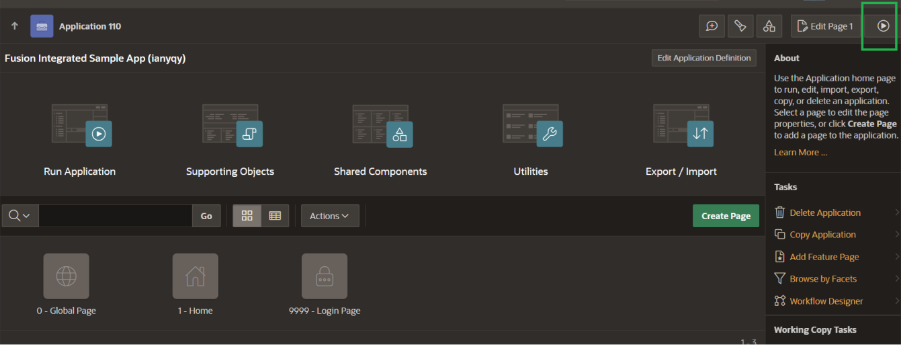
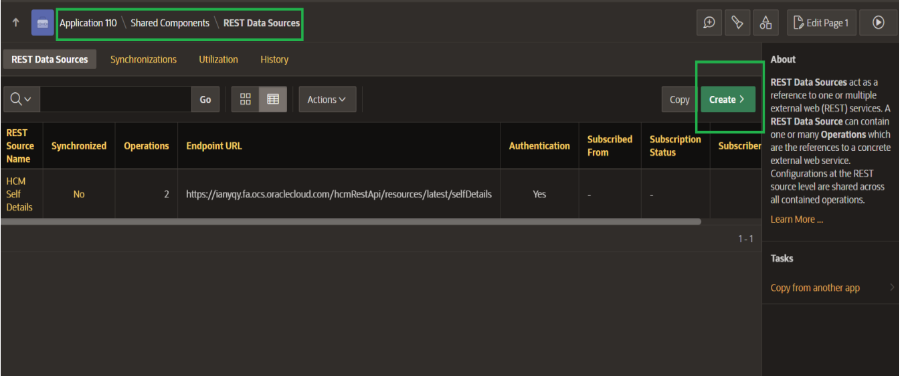
- Discover Services: This is the magic button. Clicking “Discover REST Resources” will authenticate with Fusion and fetch a list of all available REST services. You can browse and search for the specific service you need, like “Work Structures” for departments or “Employees” for worker data.
- Create a Data Profile (Optional but Recommended): For the most robust integration, create a Data Profile. This allows APEX to cache the metadata about the REST service, making your application more resilient to temporary Fusion unavailability.
And that’s it! APEX has now created a fully configured REST Data Source. You can immediately use it to create Interactive Reports, Classic Reports, and even Interactive Grids for data manipulation.
Beyond Read-Only: The Real Power of Write-Back
Many integrations stop at reading data. The true power of this connector is its ability to handle POST, PATCH, and DELETE operations declaratively.
Let’s look at a concrete use case.
Use Case: “Manager Self-Service for Contractor Onboarding”
Scenario: Your HR department uses Fusion , but the process for onboarding a new contractor involves a separate, email-based approval system. You need a simple app for managers to request a contractor, which then creates a “Worker” record in Fusion HCM directly.
The APEX Solution:
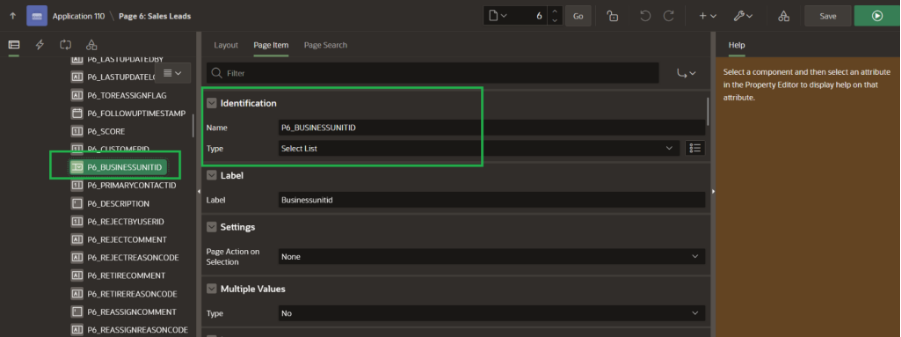
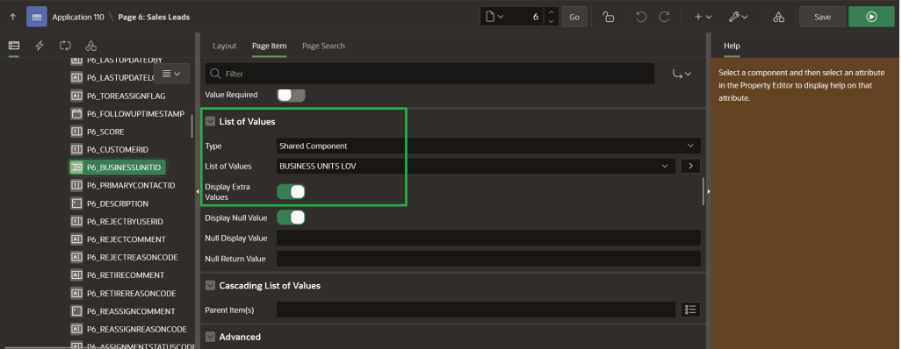
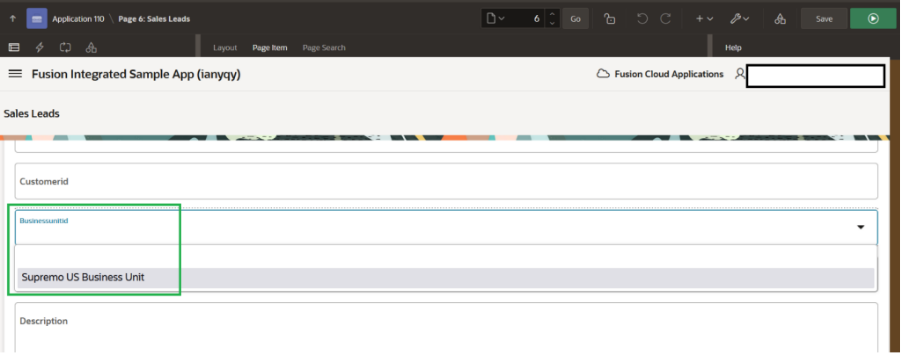
- Create a Form: Build a simple APEX form (PXXX_EMPLOYEE_FIRST_NAME, PXXX_EMPLOYEE_LAST_NAME, PXXX_DEPARTMENT, PXXX_START_DATE, etc.).
- Create an Interactive Grid: Based on the “Employees” REST Data Source you configured. This will be read-only for context.
- Create a Process to Create the Worker: This is where the magic happens. Instead of writing to a local table, you create a REST Source Process.
- Set the Target to your “Create Worker” REST Data Source operation.
- Use Auto Map to automatically map your APEX page items (PXXX_EMPLOYEE_FIRST_NAME) to the corresponding Fusion REST parameters (firstName).
- The process will automatically use the stored OAuth credentials, get a fresh token, and execute the POST /workers call to Fusion.
- Handle the Response: The REST Source Process can parse the response from Fusion (e.g., the new Worker ID) and store it in a page item for confirmation.
Your manager now has a seamless, integrated experience. They fill out a simple form in an internal APEX app, click “Submit,” and the contractor is officially created in the global HCM system, triggering all subsequent Fusion processes.

Other Powerful Use Cases
- Real-Time Fusion Data in Operational Apps: Embed a live list of Fusion inventory levels (/inventoryBalances) within a shop-floor material request app.
- Bidirectional Sync for Reference Data: Allow departments to manage “Project” data in a custom APEX app, with changes synchronized back to Fusion Projects via PATCH operations, ensuring a single source of truth.
- Approval Dashboards: Pull Fusion approval tasks into a centralized APEX dashboard, allowing users to act on requests from multiple Fusion modules in one unified interface.
Key Takeaways and Best Practices
- Declarative over Code-Heavy: This feature dramatically reduces the amount of custom PL/SQL code you need to write for Fusion integration.
- Leverage Data Profiles: Always create a Data Profile for production applications. It improves performance and resilience.
- Security is Built-In: The OAuth 2.0 Client Credentials flow is handled seamlessly by APEX, ensuring secure, server-to-server communication. Your user’s credentials are never exposed to the APEX app.
- Think in “Composite Applications”: This connector empowers you to build “composite applications”—apps that combine data and processes from Fusion with your custom local data, creating unique business solutions that wouldn’t be possible in either system alone.
Conclusion
The native Oracle Fusion Integration in APEX 24.2 is more than a feature; it’s a strategic enabler. It finally breaks down the wall between the agile, rapid-development world of APEX and the stable, process-driven world of Fusion Cloud. By making Fusion data a first-class citizen within the APEX environment, Oracle has empowered developers to build the connected, intelligent, and highly specific applications that modern businesses demand, all without sacrificing the governance and integrity of the core ERP system.
Contact Intelloger today to discuss how we can support your Oracle EPM Cloud journey.